

Display & Behavior
Visibility Settings
Published @ 28/12/2025 by

Hey there, it's Nevrie! 👋
Once you’ve finished designing your popup, the next step is deciding exactly where it sits on your website and how it should behave when a visitor interacts with it. You can manage all of these details in the Display & Behavior tab.
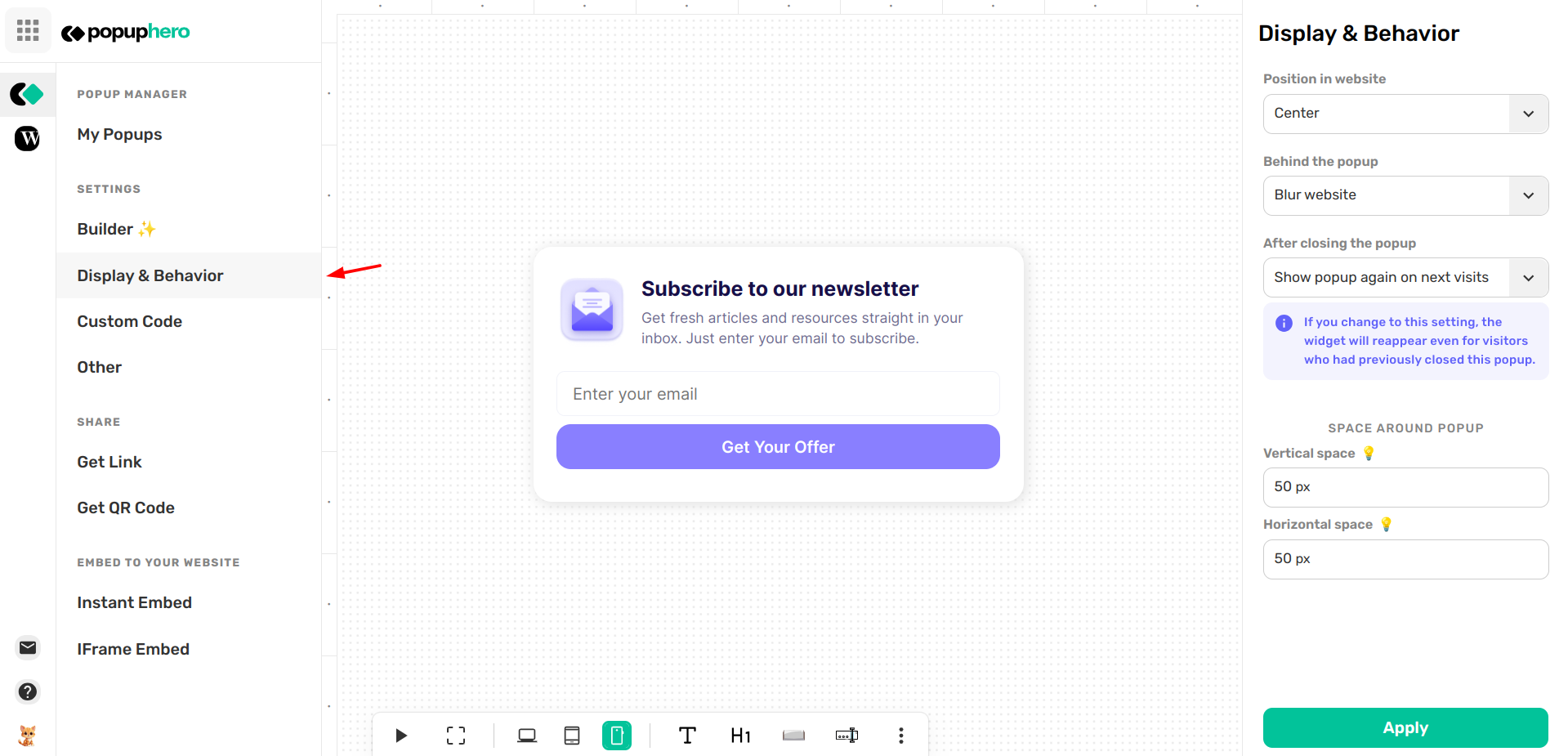
1. Position on Website
Where should your popup appear? You can choose from 9 different anchor points to ensure the popup fits your site's layout without blocking important content:
- Classic Center: Best for high-importance announcements or age gates.
- Corner Sliders: Use Bottom Right or Bottom Left for less intrusive newsletter sign-ups.
- Banners: Use Top Center or Bottom Center for sitewide notifications or promo bars.
2. Behind the Popup (Background Effects)
You can control what happens to the rest of your website while the popup is active:
- Do nothing: Your website stays clear and interactable in the background.
- Blur website: This adds a professional blur effect to your site, making the popup the sole focus of the visitor's attention.
3. After Closing the Popup (Frequency)
This setting controls the "memory" of your popup. You can decide if a visitor who closes your popup should ever see it again:
- Never show popup again: Once a visitor clicks the 'X', the popup stays hidden for them permanently.
- Show popup again on next visits: The popup will reappear the next time they visit your site.
Note: If you choose this setting, the widget will reappear even for visitors who had previously closed it.
4. Space Around Popup
If you want "surgical" control over your placement, you can add specific spacing to nudge the popup away from the edges of the browser window:
- Vertical Space: Adjust the pixel (px) distance from the top or bottom edge.
- Horizontal Space: Adjust the pixel (px) distance from the left or right edge.
This is perfect for creating a "floating" effect, giving your design a more modern and airy feel on your live site.
What's next? Now that your popup is positioned perfectly, would you like to explore the Whitelabel FAQ to see how to brand the platform as your own?